




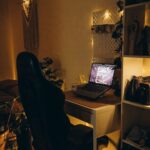
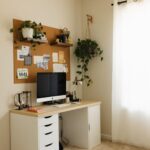
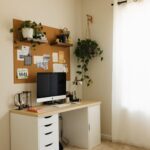
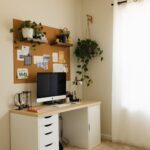

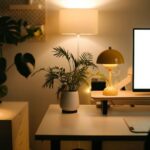

Creating a home workspace that feels both cozy and productive can make a big difference in your work-from-home experience. Whether you need a spot for full-time remote work or just a quiet nook to tackle tasks, designing the right environment helps keep you motivated and focused. Here are some useful tips to help you set up a home office that’s comfortable and efficient.
Choose the Right Location
Selecting the best place in your home for your workspace is the first step.
– Consider Natural Light: Try to position your desk near a window if possible. Natural light can boost mood and energy levels while reducing eye strain.
– Minimize Distractions: Find a quiet corner away from noisy areas like the kitchen or living room.
– Think About Space: Make sure you have enough room for your equipment and some storage without feeling cramped.
Invest in Comfortable Furniture
Comfort plays a crucial role in maintaining focus throughout the workday.
– Ergonomic Chair: Choose an adjustable chair that supports good posture to avoid back and neck pain.
– Functional Desk: Pick a desk with enough surface area for your computer, notebooks, and other tools.
– Consider Standing Options: If possible, a sit-stand desk or desk converter offers flexibility and can reduce fatigue.
Organize for Efficiency
An organized workspace reduces distractions and helps you work faster.
– Declutter Regularly: Keep only essential items on your desk.
– Use Storage Solutions: Drawers, shelves, or filing cabinets keep important documents and supplies within reach but out of sight.
– Cable Management: Use clips or sleeves to keep cords neat and avoid tangles.
Choose Soothing Colors and Personal Touches
Your workspace atmosphere influences your mood and motivation.
– Color Selection: Soft, neutral colors like light blues, greens, or warm beiges create a calm environment.
– Add Plants: Indoor plants improve air quality and add a refreshing natural element.
– Personalize Thoughtfully: Photos, artwork, or meaningful objects can make the space feel welcoming but avoid overcrowding.
Optimize Lighting
Proper lighting supports productivity and reduces eye strain.
– Layered Lighting: Combine overhead lighting with task lamps to ensure your work area is well-lit.
– Adjustable Lamps: A lamp with adjustable brightness and direction helps focus light where it’s needed.
– Avoid Glare: Position screens and lamps to minimize reflections.
Manage Noise and Distractions
A peaceful environment encourages concentration.
– Use Noise-Canceling Headphones: These can help block out background noise during focused work.
– Play Background Sounds: Some people find soft music or white noise improves concentration.
– Set Boundaries: Communicate your work hours with family or roommates to minimize interruptions.
Keep Your Technology Up to Date
Reliable technology is essential for a smooth workflow.
– Quality Equipment: Invest in a good computer, keyboard, mouse, and monitor.
– Speedy Internet: A strong, stable internet connection reduces frustration.
– Backup Plans: Regularly back up important files with cloud storage or external drives.
Establish a Routine and Breaks
Your workspace setup is part of a bigger plan to maintain productivity.
– Dedicated Work Hours: Try to start and stop at consistent times to create structure.
– Take Breaks: Step away for short breaks to stretch and rest your eyes.
– End-of-Day Ritual: Tidy your workspace and prepare for the next day to make starting easier.
Final Thoughts
Creating a cozy and productive home workspace is about blending comfort with functionality. By choosing the right location, investing in quality furniture, staying organized, and managing your environment, you can design a space that supports your best work. Small improvements can lead to big boosts in focus and job satisfaction over time. Take the time to tailor your workspace to your needs and enjoy the benefits of working in a comfortable, inspiring setting.